Ever been in the middle of dinner cleanup, only to have your smart dishwasher’s app freeze or, worse, keep flashing an error message? That frustrating moment when technology promises convenience but instead leaves you scratching your head.
The Quiet Agony of a Persistent Error
I’ve faced this myself — purchasing what was touted as a state-of-the-art, Wi-Fi-enabled dishwasher, only to see the app stubbornly report errors every time I tried to start a cycle. Turns out, those notifications weren’t just random glitches but clues pointing to deeper issues.
This ongoing struggle made me realize something crucial: many homeowners don’t understand why these errors pop up or how to troubleshoot them effectively. And honestly, a lot of us blame the app or even the device itself rather than the often-neglectable causes behind these digital hiccups.
Today, I promise to guide you through the common reasons behind your smart dishwasher’s persistent error messages and show you practical, real-world solutions to get your appliance running smoothly again. Believe me, once you understand what’s really happening, those error prompts become less intimidating and more manageable.
Is Overreacting to Tech Glitches an Overreaction?
Early on, I made the mistake of assuming every error was a sign of catastrophic failure. It led to unnecessary replacements and wasted time. Instead, understanding the importance of proper maintenance and the right parts can save you plenty of headaches. For more on how to keep your dishwasher in top shape, check out this helpful guide.
In the next section, we’ll break down the main culprits causing these errors, from installation issues to software glitches, and empower you with easy fixes. Ready to reclaim control over your dishwasher? Let’s dive in.
Check the Power and Connectivity First
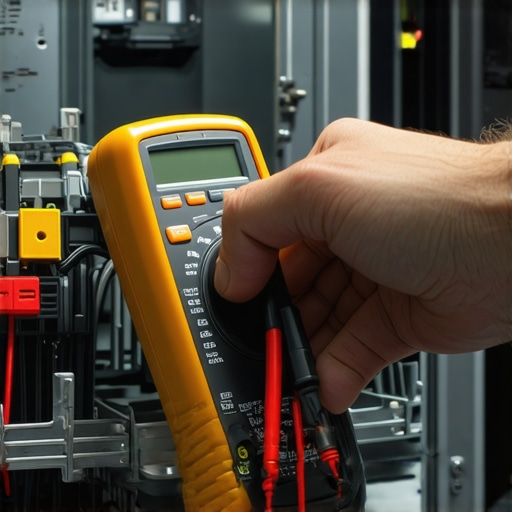
Begin by ensuring your dishwasher is properly plugged in and receiving power. Use a multimeter or a simple circuit tester to verify outlets are functioning correctly. If your device is Wi-Fi-enabled, confirm that your router is working, and the dishwasher is within range. Reset your router and reconnect the appliance, much like rebooting a computer to resolve a glitch.
Inspect Installation and Water Supply Connections
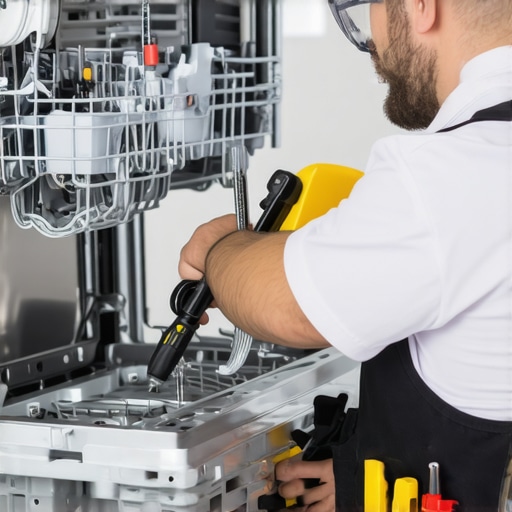
Proper installation is crucial. Remove the panel to examine the inlet hose and water supply valve for kinks, leaks, or blockages. Confirm that hoses are tightly secured and not damaged. Think of these connections as the veins of your dishwasher—blockages mean poor operation, leading to error messages. Correcting loose fittings or replacing worn parts can prevent recurring issues. Visit this guide for detailed part replacement steps.
Assess the Drainage System
Drainage problems often trigger errors. Check that the drain hose isn’t sagging or clogged. Remove it and clear any debris or blockages. Consider running a vinegar flush through the system to dissolve mineral buildup, much like cleaning arteries to improve flow. A clogged drain can cause water to back up, prompting error alerts. Proper drainage ensures efficiency and longevity.
Examine and Reset Internal Components
Here, focus on the filter, sensors, and control panel. Remove and clean filters with warm water and a soft brush—build-up like grease and grime reduces sensor accuracy. If the control panel displays persistent errors, perform a reset by disconnecting power for 10 minutes, then reconnect. It’s similar to restarting your phone when it’s frozen, which often clears minor software glitches. For more complex issues, testing control boards might be necessary; learn more at this resource.
Review Software and Firmware Settings
Software glitches can cause errors. Update your dishwasher’s firmware via the manufacturer’s app or website—an essential step often overlooked. Check for updates, then follow the installation instructions carefully, like updating your phone’s OS. Firmware patches improve functionality and fix bugs that may cause error messages, ensuring your device runs smoothly.
Test and Finalize Repairs
After making adjustments, run a short cycle to test if errors persist. Observe any unusual noises or leaks, which could indicate unresolved issues. Keep a detailed record of repairs performed; this documentation can be invaluable if you need to claim warranty coverage or consult a professional later. Remember, diligent troubleshooting can prevent costly replacements, making your investment last longer.
As you proceed through these steps, remember that many common problems stem from installation errors or minor component malfunctions. Regular maintenance and early diagnosis can save you time and money in the long run. For more in-depth preventative tips, visit this article.
< >
>